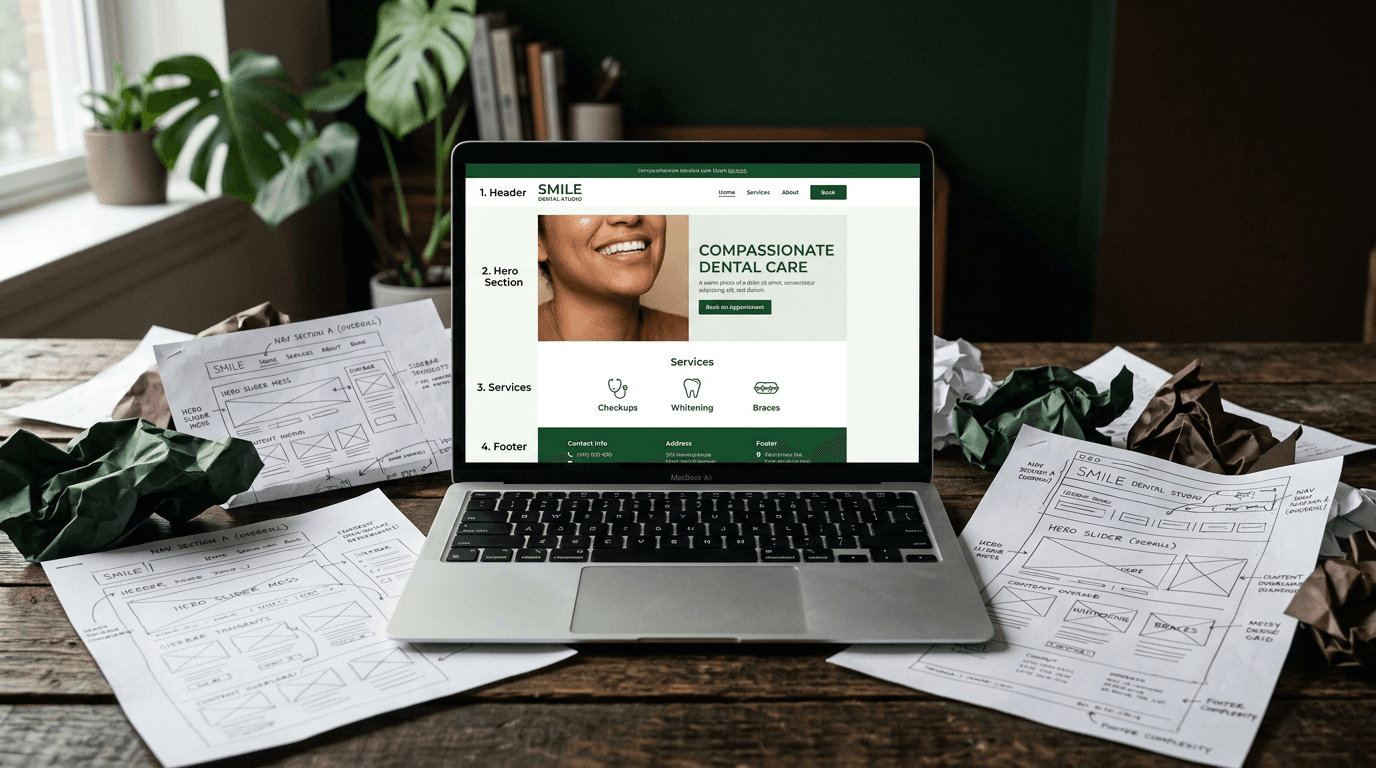
Why Cookie-Cutter Templates Are Killing Your Local Business Website
You need a dentist. You search Google and click on three practice websites. They all have the same stock hero image of someone smiling with perfect teeth. Sa...

You need a dentist. You search Google and click on three practice websites. They all have the same stock hero image of someone smiling with perfect teeth. Same vague headline about "quality care." Same buried phone number that takes 30 seconds to find.
Now imagine you're hungry and searching for restaurants. Different search, same story. Generic food photos, hidden menus, identical layouts that could be swapped between businesses without anyone noticing.
Here's the problem: A dentist's website and a restaurant's website need completely different things. Yet most website builders, templates, and "best practices" articles treat them identically.
The numbers back this up. 84.6% of small business sites are overcrowded with irrelevant elements, and 70% lack a clear call to action on their homepage. No wonder visitors bounce.
Your industry should be the starting point for every design decision. Not an afterthought. Not a minor tweak to a template. The foundation.
Most small business websites look the same — and that's the problem
Walk through any business district, and you'll see the problem in real life. The pizza place doesn't look like the law office. The auto repair shop doesn't look like the salon. Each business is designed for its specific customers and their specific needs.
But their websites? Cookie-cutter identical.
This happens because most business owners start with the wrong question. Instead of asking "what does my customer need to see?" they ask "what template looks nice?"
The result is websites that look professional in screenshots but fail at their actual job: turning visitors into customers.
The template trap
Popular website builders optimize for one thing: looking good in their template galleries. Not for converting visitors in your specific business context.
53% of businesses want unique sites — yet most end up with near-identical layouts because they're choosing from the same limited pool of "professional" templates.
Here's what that looks like in practice:
- Hero image sliders that push your phone number below the fold
- Missing service-area pages that would help local SEO
- No Google Business Profile integration
- Generic CTAs like "Learn More" that tell visitors nothing
Templates optimize for visual appeal. Your business needs optimization for customer action.
What your customer actually wants (it depends on your business)
A plumber's customer wants a phone number and availability — right now. They have water flooding their bathroom at 9 PM.
A restaurant customer wants the menu, hours, and reservation options. They're deciding between three places for dinner tonight.
A law firm visitor wants credentials, case results, and a consultation form. They're researching attorneys for a serious legal matter.
A boutique shopper wants product photos, prices, and shipping info. They're comparing options across multiple stores.
Your website's job isn't to look good in a portfolio. It's to give your specific customer exactly what they need in under 5 seconds.
The "design by business type" framework
Every local business falls into one of five archetypes. Each has different customer needs, different decision-making processes, and different website requirements.
Here's how to design for your specific archetype:
Service-based businesses (plumbers, electricians, cleaners, HVAC)
Primary design priority: Instant contact access
Your customers have problems that need fixing now. They don't want to read about your company history — they want to know you can help them today.
Layout: Phone number in the header on every page. Service list with brief descriptions front and center. Service-area pages for local SEO.
Imagery: Real photos of your team, your trucks, your work. Before/after shots work particularly well. Zero stock photos of generic tools or handshakes.
Primary CTA: "Call Now" or "Get a Free Estimate" — prominent and repeated on every page.
Must-have features:
- Click-to-call button that works on mobile
- Service-area pages with embedded Google Maps
- Google reviews widget on homepage
- Emergency availability callout if you offer it
- LocalBusiness schema markup
What to skip: Blog sliders, lengthy "About Us" narratives on the homepage, image carousels that hide your contact info.
Food & hospitality (restaurants, cafes, bars, bakeries)
Primary design priority: Menu access and reservation/ordering capability
Food businesses are visual. People choose with their eyes first, then their stomachs. Your website needs to make both happy.
Layout: Menu accessible within one click from any page. Hours and location immediately visible. Mobile-first design since most local searches happen on phones.
Imagery: Professional food photography — this is the one category where visuals are literally the product. Real interior shots so people know what to expect.
Primary CTA: "View Menu," "Reserve a Table," or "Order Online" — depending on your business model.
Must-have features:
- Embedded or linked menu (HTML format, not PDF)
- Online reservation integration (OpenTable, Resy, or direct booking)
- Google Maps embed with accurate location
- Hours displayed prominently with holiday exceptions noted
- Instagram integration for social proof
What to skip: Long text blocks about your philosophy, complex navigation, "Our Story" as the hero section.
Professional services (law firms, accountants, consultants, financial advisors)
Primary design priority: Credibility and expertise signals
Your customers are making high-stakes decisions. They need to trust you with their money, their legal problems, or their business future.
Layout: Clean, authoritative design. Attorney/advisor bios with real headshots. Practice area or service pages with substantial content. Case studies or results where appropriate.
Imagery: Professional team portraits. Real office environment shots. Certifications and awards displayed visually.
Primary CTA: "Schedule a Consultation" or "Request a Case Review" — form-based rather than phone-first.
Must-have features:
- Detailed bio pages for each professional
- Practice area/service pages (each with unique URLs for SEO)
- Client testimonials with specific results
- Contact form with qualifying questions
- Blog/resource section for thought leadership
- SSL certificate and security badges
What to skip: Flashy animations, stock photos of generic handshakes, vague service descriptions.
Retail & storefront (boutiques, gift shops, specialty stores)
Primary design priority: Product showcase and purchase path
You're competing with Amazon and every other online retailer. Your local advantage is personal service and immediate availability.
Layout: Visual-forward grid layout. Clear product categories. Prominent search functionality. Location and hours for in-store visits.
Imagery: High-quality product photography with consistent lighting and backgrounds. Lifestyle shots showing products in use.
Primary CTA: "Shop Now," "Browse Collection," or "Visit Us In Store" — dual path for online and in-person customers.
Must-have features:
- E-commerce functionality with inventory tracking
- Product filtering and search
- Local pickup option
- Clear shipping information and policies
- Customer reviews per product
- Store location and hours prominently displayed
What to skip: Auto-playing videos on product pages, excessive pop-ups, cluttered homepage trying to show every product.
Health & wellness (dentists, chiropractors, med spas, salons)
Primary design priority: Online booking and trust/comfort signals
Healthcare decisions involve trust and often anxiety. Your website needs to feel both professional and welcoming.
Layout: Clean, calming aesthetic. Services with clear descriptions and pricing transparency. Provider bios with credentials. Before/after galleries where applicable and legal.
Imagery: Real office/facility photos. Team photos with friendly, approachable energy. Before/after results (with proper consent). Avoid cold, clinical sterility.
Primary CTA: "Book an Appointment" — online scheduling integration isn't optional in 2026.
Must-have features:
- Online booking system fully integrated (not linking to external site)
- New patient forms (downloadable or fillable online)
- Insurance and payment information page
- Provider bio pages with credentials
- Google reviews prominently displayed
- ADA/accessibility compliance
- HIPAA-compliant contact forms
What to skip: Generic "Welcome to our practice" hero text, stock photos of models in lab coats, buried contact information.
The design decisions that matter for every local business
Regardless of your business type, certain fundamentals apply. But how you implement them should still reflect your industry and customer needs.
Mobile-first isn't optional — it's where your customers are
65% of web traffic comes from mobile devices. For local businesses, it's likely higher since people search "near me" on their phones while they're out and about.
Google's mobile-first indexing means your mobile site gets crawled and ranked before your desktop version. If your mobile experience is broken, your rankings suffer.
Practical mobile checklist:
- Touch-friendly buttons (44x44px minimum)
- Readable text without zooming
- Fast-loading images (WebP format preferred)
- Click-to-call functionality on all phone numbers
- Easy-to-tap navigation menu
I've seen local bakeries double their online orders just by switching to a mobile-first design that made ordering actually possible on phones.
Speed kills (slowly)
53% of mobile visitors leave if a page takes over 3 seconds to load. Every extra second costs you customers.
Slow sites cost retailers $2.6 billion per year collectively. That's not abstract — that's real revenue walking out the door.
Actionable speed fixes:
- Compress all images before uploading
- Use a content delivery network (CDN)
- Enable browser caching
- Minimize third-party scripts and widgets
- Choose a reliable hosting provider (don't cheap out here)
Google's Core Web Vitals (Largest Contentful Paint, Cumulative Layout Shift, and Interaction to Next Paint) aren't just technical metrics. They're ranking factors that directly impact your visibility.
Local SEO is a design decision, not a plugin
Your site architecture should be built around local intent from day one. This isn't something you bolt on later with an SEO plugin.
Essential local design elements:
Service-area pages: Create one page for each city or neighborhood you serve. Write unique content for each — don't just copy and paste boilerplate text with different city names.
Embedded Google Maps on your contact and location pages. Make it easy for customers to find you and get directions.
Google Business Profile integration. Link to your profile and embed reviews directly on your homepage.
LocalBusiness schema markup so search engines understand what you are, where you are, and what services you provide.
NAP consistency (Name, Address, Phone) in your footer and matching exactly what's on your Google Business Profile.
68% of small business sites lack basic SEO optimization. Getting this right gives you an immediate advantage over most local competitors.
Build local trust architecture
I call this concept "Local Trust Architecture" — designing your site to prove you're a real, credible, local business that customers can trust.
The five pillars:
Real photography of your team, location, and work. No stock photos of generic businesspeople or staged scenarios. Customers can spot fake instantly.
Embedded Google reviews on your homepage. Don't just link to them — show them. Social proof works when it's visible.
Neighborhood-specific language. Reference your city, your street, your community. "Serving downtown Portland for 15 years" beats "quality service you can trust."
Community involvement section. Sponsor a Little League team? Volunteer at local events? This stuff matters more than you think.
Certifications and credentials displayed visually. License numbers, Better Business Bureau ratings, industry certifications — make them easy to find and verify.
56% of consumers won't trust a business without a website. Those that have one still need to earn trust once visitors arrive.
Accessibility opens doors to more customers
WCAG 2.2 compliance matters especially for local businesses serving diverse communities. Aging populations, multilingual areas, varying levels of tech literacy — accessibility opens your doors to more customers.
Practical accessibility steps:
- High-contrast text (dark text on light backgrounds)
- Keyboard navigation for all interactive elements
- Alt text descriptions for all images
- ARIA labels for form elements
- Clean, simple layouts that don't rely on color alone to convey information
Frame this as a competitive advantage, not a compliance checkbox. Accessible sites serve more customers, rank better in search results, and reduce legal risk.
How to audit your current site in 15 minutes
Walk through this diagnostic checklist right now. Open your website and honestly evaluate each point:
Mobile test: Open your site on your phone. Can you find your phone number in under 3 seconds? Is your primary call-to-action visible without scrolling?
Homepage clarity: Does your homepage tell a new visitor what you do, where you do it, and how to take the next step — all above the fold?
Visual authenticity: Are you using real photos of your business or generic stock images? Real wins every time.
Content structure: Do you have a dedicated page for each major service or product category? One-page websites rarely rank well locally.
Contact accessibility: Can someone book an appointment, call you, or contact you from every page on your site?
Speed check: Run your site through Google PageSpeed Insights. Is your mobile score above 80?
Local relevance: Does your site mention your city or neighborhood by name? Are your service areas clearly defined?
Social proof: Are your Google reviews visible on your homepage, or do visitors have to hunt for them?
Stop designing for everyone and start designing for your customers
Your website should work for your specific business type, your specific customers, and your specific goals. Generic templates and one-size-fits-all advice will always fall short because they ignore the most important variable: what your customers actually need when they find your site.
The local businesses winning online in 2026 are the ones that stopped trying to look like everyone else and started designing for their own success metrics. Your industry isn't just context for your website design — it should be the foundation.
Ready to rebuild your site the right way? Start with your customer's perspective, choose your business archetype, and design every element around what they need to see. Your conversion rates will thank you.
Frequently asked questions
Q: How much should a small business website cost in 2026? A: Professional small business web design ranges from $2,500 to $10,000 depending on complexity, with monthly hosting and maintenance costs of $50-200. DIY options start around $200 annually but require significant time investment.
Q: Can I use a template and just customize it for my industry? A: Templates can work as starting points, but they require significant customization to serve your specific industry needs. The key is choosing one built for your business type, not just visual appeal.
Q: How do I know if my website is actually converting visitors into customers? A: Set up Google Analytics conversion tracking for your primary goals (phone calls, form submissions, bookings). A good local business website should convert 2-5% of visitors into leads.
Q: Do I need a separate mobile website or responsive design? A: Use responsive design, not a separate mobile site. Google prefers responsive sites, and it's easier to maintain one website that adapts to all screen sizes.
Q: How often should I update my small business website? A: Update content monthly (blog posts, specials, photos) and perform major redesigns every 2-3 years. Your Google Business Profile integration and reviews should update automatically.