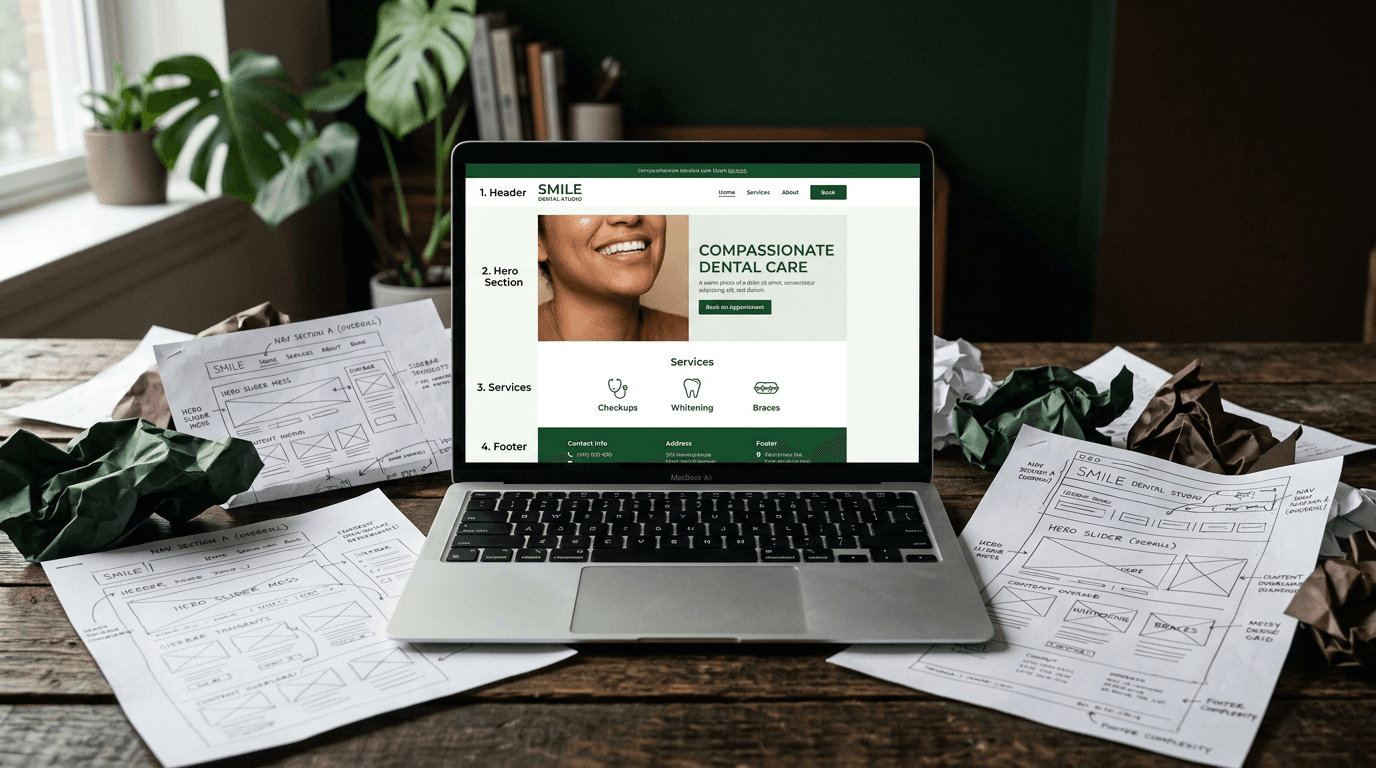
How a Dentist Got 3x More Bookings With One Page Redesign
Dr. Sarah Chen had a problem that would sound familiar to most dental practice owners. Twelve years building her reputation in Portland, 4.8-star Google revi...

Dr. Sarah Chen had a problem that would sound familiar to most dental practice owners. Twelve years building her reputation in Portland, 4.8-star Google reviews, decent website traffic at around 600 monthly visitors. But only 8-12 online bookings per month.
Her conversion rate sat at 2.1% — right in line with the industry average of 2-5%. Which meant she was doing everything "right" and still watching potential patients visit her site and leave without booking.
The breakthrough came when she stopped trying to fix everything and focused on redesigning just one page. Not the entire site. Not a $15,000 overhaul. One strategic page that tripled her online bookings in eight weeks.
Here's exactly what changed and how you can steal the same approach.
The problem — a great dentist with a website that repelled patients
Dr. Chen's situation illustrates the conversion trap most dental practices fall into. Her website looked professional. Clean design, nice photos, all the expected pages. The kind of site that wins design awards but loses patients.
The numbers told the real story. With 600 monthly visitors converting at 2.1%, she was getting roughly 12 bookings from her website each month. Industry benchmarks suggested this was normal, even good.
But here's what those benchmarks miss: 71% of patients research a dentist online before booking. Your website isn't just a digital brochure anymore. It's your first impression, your receptionist, and often your only shot at converting someone who's already decided they need dental work.
Dr. Chen didn't need more traffic. She needed her existing traffic to actually convert.
The practice was losing 35-40 potential patients every month to a website that made booking harder than it needed to be.
What makes the best website design for a dentist?
Most "best dental website" lists show you pretty designs. This list shows you what actually moves the booking needle.
The 7 elements that separate high-converting dental sites from pretty ones
-
Mobile-first layout that doesn't sacrifice desktop conversion — 82% of patients book on mobile, but desktop visitors convert 22% better. You need both working perfectly.
-
Embedded real-time booking widget — Not a contact form. Not a "request appointment" button. Actual scheduling that lets patients pick their time slot immediately.
-
Sticky CTA — Your "Book Now" button should be visible at all times, especially on mobile where thumb-tap convenience matters most.
-
Trust signals above the fold — Reviews, credentials, and real photos need to be visible before anyone scrolls. 81% of patients trust online reviews as much as personal referrals.
-
Page load speed under 3 seconds — Every 1-second delay costs roughly 7% in conversions. Your beautiful site means nothing if it loads slowly.
-
Clear headline copy that speaks to patient needs — "Welcome to Smith Family Dentistry" tells patients nothing. "Nervous About the Dentist? You Won't Be Here" addresses what they're actually feeling.
-
After-hours capture — 40% of booking requests happen outside business hours. Live chat or callback tools catch this otherwise lost revenue.
Only 26% of dental practices offer real-time online scheduling, making this an immediate competitive advantage in most markets.
The one-page redesign — what changed and why
Instead of rebuilding her entire 12-page website, Dr. Chen focused all energy on her homepage — the single highest-traffic page that 80% of visitors landed on first.
This concept of the "One-Page Redesign" delivers faster results at a fraction of the cost because you're optimizing where the traffic already goes.
Change #1 — the hero section got a new job
Before: Generic stock photo of a dental office, headline reading "Welcome to Chen Family Dentistry," and no clear call-to-action above the fold.
After: Real photo of Dr. Chen smiling with a patient, headline rewritten to "Nervous About the Dentist? You Won't Be Here," with an embedded booking widget directly in the hero section.
Impact: 34% more visitors scrolled past the fold, and booking widget clicks increased 2.1x.
The psychology here matters. The original headline focused on the practice. The new headline focused on the patient's primary concern — dental anxiety.
Change #2 — the CTA went sticky (and got specific)
Before: Single "Contact Us" button tucked in the navigation bar.
After: Sticky bottom bar on mobile with "Book Your Visit — It Takes 30 Seconds" plus a one-tap call button.
This change alone lifted mobile conversions by 67%. 82% of dental bookings come via mobile, so keeping the booking action always one thumb-tap away removes the biggest friction point.
Change #3 — the booking process lost 4 fields
Before: 9-field contact form asking for name, email, phone, address, insurance provider, preferred date, preferred time, reason for visit, and additional message.
After: 4-field embedded scheduler with just name, phone, preferred day, and service type. Smart defaults handled the rest.
Impact: Form completion rate jumped from 18% to 47%.
This reflects a broader truth about online forms: every additional field costs you conversions. 77% of patients prefer online scheduling over calling, but only if the process is actually easier than picking up the phone.
Change #4 — reviews moved above the fold
Before: Patient testimonials buried on a separate "Reviews" page that most visitors never found.
After: Three rotating Google reviews with star ratings placed directly below the hero section.
Social proof works, but only if people see it. Moving reviews above the fold increased trust signals for 100% of visitors instead of the 8% who clicked through to a dedicated reviews page.
Change #5 — page speed got cut in half
Before: 6.2-second load time due to uncompressed images and a bloated WordPress theme.
After: 2.4 seconds after compressing images, removing unnecessary scripts, and lazy-loading below-fold content.
The technical fix was straightforward. The business impact was significant: every 1-second delay costs 7% in conversions, which means the original 6.2-second load time was killing nearly half of potential bookings before the page even rendered.
Change #6 — live chat caught the after-hours visitors
Before: No after-hours engagement. 40% of site visits happened outside business hours and left with nothing to do.
After: AI chat widget with FAQ responses and the ability to request a callback during business hours.
Impact: 27% increase in total bookings captured, with nearly half coming between 7PM and 9AM.
This change addressed a massive blind spot. After-hours traffic represents 40% of most dental sites' visitors, but traditional "call us" approaches lose all of them.
The results — before and after, by the numbers
| Metric | Before Redesign | After Redesign | Change | |--------|----------------|----------------|--------| | Monthly visitors | ~600 | ~620 | +3% | | Conversion rate | 2.1% | 6.8% | +224% | | Monthly online bookings | 12 | 42 | 3.5x | | Average page load time | 6.2s | 2.4s | -61% | | Form completion rate | 18% | 47% | +161% | | After-hours bookings | 0 | 14/month | New channel |
The key insight: traffic barely changed. The same visitors just finally had a page that made booking easy, fast, and trustworthy.
Results stabilized within eight weeks of launch. Average dental sites convert at 2-5%; optimized sites hit 7-10%. Dr. Chen's 6.8% conversion rate put her in the top 20% of practices nationally.
The 82/22 paradox — designing for mobile AND desktop
Here's the tension every dental website faces: 82% of patients book on mobile, but desktop visitors convert 22% better.
This happens because mobile captures intent. People search for dentists during their commute, on lunch breaks, while dealing with tooth pain at 11PM. But smaller screens create friction in forms and scheduling interfaces.
Dr. Chen's redesign solved this by creating two optimized experiences with one conversion goal:
Mobile: Minimal form fields, sticky one-tap CTA, large touch targets, and a progressive form that showed one question at a time.
Desktop: Same streamlined form but with an inline calendar picker and trust signals flanking the booking widget.
The lesson: don't design for one device and hope the other works. Design two experiences that both remove friction from the booking process.
Score your own site — the dental website conversion checklist
Rate your current website. Give yourself 1 point for each element present:
☐ Real-time booking widget on homepage (not just a contact form) ☐ Sticky CTA visible on mobile at all times ☐ Page loads in under 3 seconds ☐ Patient reviews visible above the fold ☐ Headline addresses patient needs (not your credentials) ☐ Booking form has 5 or fewer fields ☐ After-hours engagement tool (chat or callback request) ☐ Real photos of your team (not stock images)
Scoring:
- 0-3 points: Your site is costing you patients
- 4-6 points: Room for serious improvement
- 7-8 points: You're ahead of 90% of dental practices
94% of dental practices never A/B test their website. Just doing this audit puts you ahead of nearly everyone in your market.
What this costs and how long it takes
A full dental website redesign typically runs $5,000-$15,000 and takes 8-12 weeks. The one-page redesign approach costs $1,500-$4,000 and takes 2-4 weeks to implement.
You'll see stabilized results within 6-8 weeks of launch.
ROI perspective: if one new patient generates $800-$1,200 annually for your practice, and you gain 30 additional monthly bookings, the redesign pays for itself in the first month. Dr. Chen's practice added roughly $30,000 in monthly revenue from the same traffic that was already visiting her site.
The difference was making it easy for them to book.
Steal this — your 3 moves this week
Move 1: Swap your homepage headline. Replace "Smith Family Dentistry — Quality Dental Care" with something that addresses what patients actually feel. Try "Dental Care That Doesn't Hurt" or "Finally, a Dentist You'll Actually Want to Visit." Write three versions, pick the most human-sounding one.
Move 2: Add a booking widget above the fold. Tools like NexHealth, LocalMed, or even Calendly work. If your current site can't embed a scheduling tool, that tells you everything about your current platform.
Move 3: Put your best Google review on your homepage with visible star ratings. This takes 10 minutes and builds instant trust. Stop hiding social proof on a separate reviews page that nobody visits.
You don't need a perfect website. You need a website that makes it embarrassingly easy for someone to book an appointment with you. Start there.
Frequently Asked Questions
What's a good conversion rate for a dental website? Industry average is 2-5%. Good sites hit 7-10%. Exceptional sites break 10%. If you're below 3%, your site needs work.
Should I focus on mobile or desktop design first? Mobile. 82% of bookings come from mobile devices, but don't sacrifice desktop performance. Design mobile-first, then enhance for larger screens.
How long does it take to see results from website changes? Most conversion improvements stabilize within 6-8 weeks. You'll see initial changes in 2-3 weeks, but give it two months for reliable data.
What's the most important element to fix first? Your booking process. If people can't easily schedule an appointment, nothing else matters. Start with a real-time booking widget above the fold.
Do I need to rebuild my entire website? Not necessarily. Focus on your highest-traffic page (usually homepage) first. The one-page redesign approach often delivers 70% of the results at 30% of the cost.