Small Business Web Design Tips That Actually Move the Needle
Most web design advice sounds like it was written for Fortune 500 companies with dedicated design teams and unlimited budgets. You're running a small busines...
Most web design advice sounds like it was written for Fortune 500 companies with dedicated design teams and unlimited budgets. You're running a small business with real constraints — time, money, and probably doing the web design yourself between everything else.
Here's what's actually broken: 73% of small businesses have a website, but the majority are hemorrhaging potential customers because of fixable design mistakes. Your competitor down the street might have a prettier site, but they're probably making the same fundamental errors that cost leads, phone calls, and foot traffic.
This isn't another generic checklist where every tip looks equally important. It's a prioritized playbook. Each recommendation includes what it costs, what it returns, and how to verify it worked. We start with the highest-impact, lowest-effort wins so you can see results this week.
The secret is working smarter, not harder. Some changes take 15 minutes and boost conversions by double digits. Others require weeks of work for marginal gains. Knowing the difference separates profitable small businesses from the ones still wondering why their website "doesn't work."
How to use this guide: the quick wins vs. deep investments matrix
Think of web design improvements in terms of impact versus effort. High impact, low effort changes go first — always. High effort, low impact changes go last, if ever.
Quick wins (high impact, low effort): These take under 2 hours each and can move conversion rates within days. Start here.
Deep investments (high impact, high effort): These require more time or budget but compound over months. Tackle after quick wins are done.
Ignore everything else: Low-impact changes, regardless of effort level, stay on the back burner until your fundamentals are bulletproof.
If you only have one weekend, focus on tips 1-4. If you're planning a redesign or have more time, work through them in order. Don't skip around — this sequence maximizes your return on effort.
Quick wins: high impact, low effort
1. Make your phone number and CTA impossible to miss
70% of small business websites have no clear call-to-action on their homepage. Visitors land, can't figure out what you want them to do, and leave for a competitor who makes it obvious.
Your fix: Sticky header with your phone number plus one primary CTA button. "Get a Free Quote," "Book Now," "Schedule a Visit" — whatever moves your business forward. Make that button high-contrast against your background. Repeat it at mid-page and in your footer.
Color psychology matters, but contrast matters more. Your CTA color should clash with your background in a good way. If your site is blue, make the button orange. If it's white, make it dark red. The human eye notices contrast before it processes color harmony.
Cost: $0 and 15 minutes. Every website builder from Wix to WordPress supports this.
Expected return: 86% of visitors want to see your products or services clearly on the homepage. Sites with obvious CTAs convert measurably better than those that make visitors hunt for next steps.
How to verify: Track button clicks in Google Analytics 4 under Events. Compare week-over-week click rates after the change.
2. Speed up your site (the 3-second rule)
Pages that load in 1 second convert 3.5× more than pages that take 5 seconds. More brutal: 53% of mobile visitors abandon pages that take more than 3 seconds to load.
Your fastest wins: Compress all images to WebP format using Squoosh (free Google tool) or ShortPixel. Enable browser caching through your hosting provider. Remove unused plugins or scripts that slow things down.
Run Google PageSpeed Insights right now on your site. Focus on the LCP (Largest Contentful Paint) score — get it under 2.5 seconds. This measures how long your main content takes to appear, which directly correlates with visitor patience.
Real example from the field: A boutique retailer compressed their product images and enabled caching. Sales grew 25% in one quarter with no other changes to their site or marketing.
Cost: $0-$50. Image compression is free. A content delivery network like Cloudflare has a free tier that handles caching automatically.
Expected return: Speed improvements alone can boost sales by up to 25%. Every second you shave off load time keeps more visitors on your site.
How to verify: Run PageSpeed Insights before and after changes. Track bounce rate in Google Analytics 4 — it should drop as speed improves.
3. Fix your mobile experience first, desktop second
Over 65% of all web traffic is mobile. Google indexes your mobile site first, then your desktop version. If your site frustrates phone users, you're invisible in search results and losing the majority of potential customers.
Your mobile checklist: Tap targets need to be at least 44×44 pixels (about the size of a fingertip). No horizontal scrolling. Text readable without zooming. Forms should be short and thumb-friendly — if you need someone's life story, ask for it after they become a customer.
Here's the stat that should hurt: 57% of users won't recommend a business with a poor mobile website. You're not just losing that visitor — you're losing everyone they would have referred.
Cost: $0 if you're using a modern website builder with responsive themes. $500-$2,000 if you need a developer to fix a legacy site that wasn't built mobile-first.
Expected return: Responsive designs boost conversions by 11%. 92% of local search snippet positions go to mobile-optimized sites.
How to verify: Google's Mobile-Friendly Test (free tool). Also test on your actual phone — hold it in your hand and try to complete your main call-to-action. If it's clunky for you, it's impossible for customers.
4. Nail your homepage in 5 seconds
61% of visitors leave if they can't find what they need within 5 seconds. Your homepage must instantly answer three questions: What do you do? Where do you do it? What should I do next?
Your structure: Headline that states what you do and who you serve. Subheadline with your key benefit or differentiator. CTA button. Trust signals like reviews, client logos, or certifications.
Kill the image slider or carousel if you have one. They slow down your site and almost nobody clicks past the first slide. One strong hero image with clear text overlay works better than five rotating images that confuse visitors.
Cost: $0 — this is purely a content and layout decision.
Expected return: Reduced bounce rate, higher time spent on site, more CTA clicks. Visitors who understand your value proposition immediately are more likely to become customers.
How to verify: Check bounce rate and engagement rate for your homepage in Google Analytics 4. Use Hotjar's free tier to see heatmaps of where people actually look and click.
High-impact investments: worth the effort
5. Structure your navigation for humans (and Google)
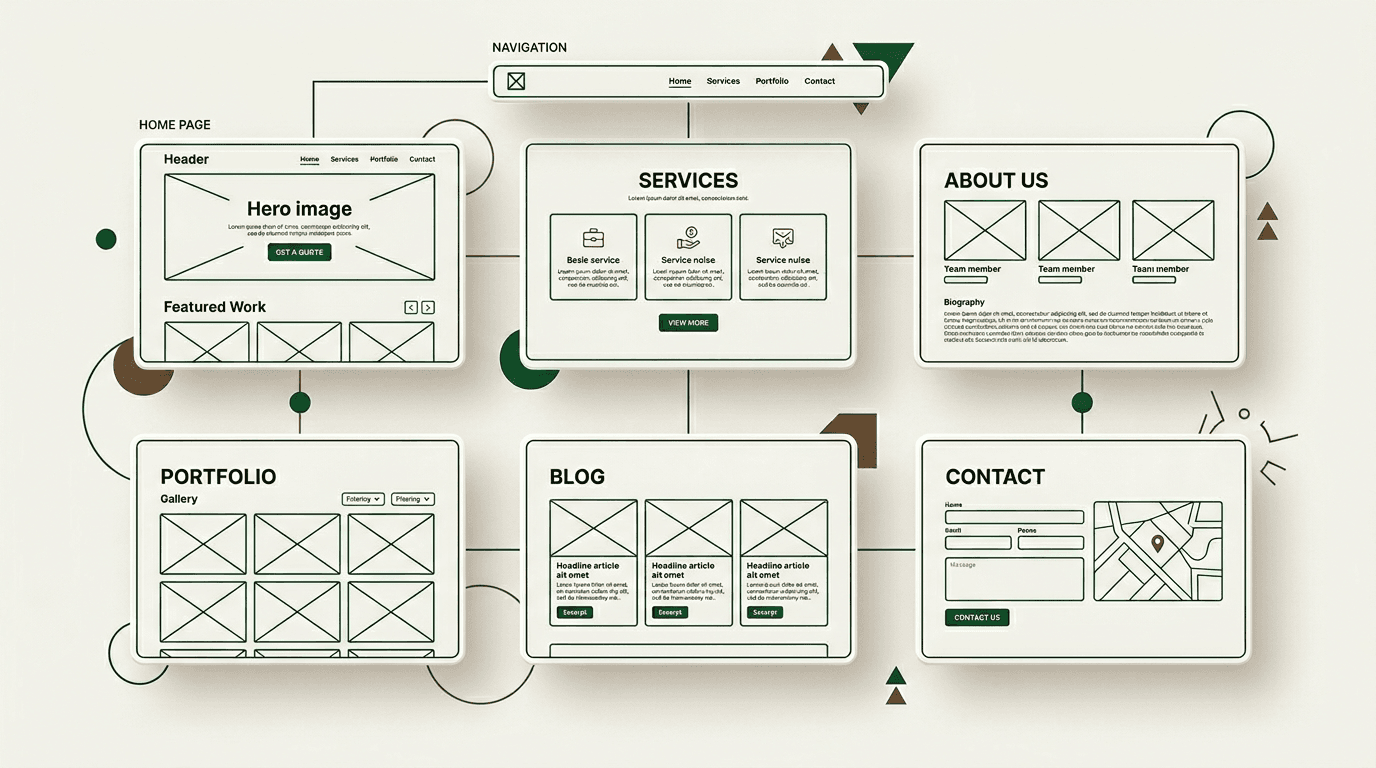
Keep your main navigation to 5-7 items maximum. Use plain language like "Services," "Pricing," "About," "Contact" instead of clever labels that make visitors think. Every page should be reachable within 3 clicks.
Add a search bar if you have more than 10 pages on your site. People expect to find things quickly, and search is often faster than hunting through menus.
Logical information architecture helps Google crawl and index your site correctly. When search engines can easily understand your site structure, they're more likely to rank your pages for relevant searches.
Cost: $0 to do yourself; $300-$1,000 if you hire an information architect to restructure a complex site.
Expected return: Lower bounce rates, longer session duration, improved search engine crawlability that leads to better rankings.
How to verify: Google Search Console shows crawl errors under the Coverage report. Google Analytics 4's Navigation Summary reveals where people drop off in your site flow.
6. Invest in local SEO design elements
If you serve customers in a specific geographic area, your website needs to work as a local SEO machine. This goes beyond just listing your address.
Must-haves: Your NAP (Name, Address, Phone number) must be identical on every page and match your Google Business Profile exactly. Embed an actual Google Map on your contact page. Add LocalBusiness schema markup so search engines understand you're a local business.
Create location-specific pages if you serve multiple areas. "Plumber in [City Name]" pages with unique content for each location you serve. Don't just copy and paste — write genuine content about serving each area.
Voice search connection: People ask their phones "electrician near me" or "best pizza in downtown." Natural-language headings and FAQ sections help you show up for these conversational search queries.
Cost: $0-$200 to do yourself. Schema markup plugins are free for WordPress. Creating location pages takes time but no additional tools.
Expected return: Higher rankings in Google's local pack, more phone calls, more requests for directions to your business.
How to verify: Google Business Profile insights show calls and direction requests. Google Search Console tracks your local keyword rankings over time.
7. Use real images and consistent branding
Stock photos of people in suits shaking hands fool nobody. Use real photos of your team, your actual storefront, your completed work. Authentic imagery builds trust faster than generic stock photos.
Establish a simple brand kit: 2-3 colors maximum, 1-2 fonts, your logo used consistently. Apply this across every page so your site feels cohesive instead of cobbled together.
The 60-30-10 rule works: 60% dominant color for backgrounds, 30% secondary color for sections, 10% accent color for CTAs and links.
Compress every image before uploading. Use WebP format when possible. Add descriptive alt text — it helps both search engines and visually impaired visitors understand your images.
Cost: $0-$500. Take photos with your smartphone and edit them in free tools like Canva, or hire a local photographer for a one-time professional shoot.
Expected return: 38% of visitors stop engaging with visually unattractive websites. Real images increase trust and brand recognition.
How to verify: Track engagement rate and pages per session in Google Analytics 4. Ask three recent customers what they think of your website — their honest feedback reveals more than analytics sometimes.
8. Typography that people actually read
Use no more than 2 fonts: one for headings, one for body text. More fonts make your site look scattered and unprofessional.
Body text: 16 pixels minimum size. Line height of 1.5 for easy reading. Keep paragraphs to 50-75 characters wide — wider text is harder for eyes to track.
Establish clear hierarchy with your headings. H1 for page titles, H2 for major sections, H3 for subsections. Users scan before they read, so your headings carry the load of communicating your key points.
High contrast between text and background. Dark gray (#333333) on white reads easier than pure black (#000000) on white, which can create eye strain.
Cost: $0. Every website builder supports typography controls.
Expected return: Better readability leads to longer time on page, which correlates with higher conversion rates.
How to verify: Track average engagement time per page in Google Analytics 4. Use WebAIM's Contrast Checker (free tool) to ensure your text meets accessibility standards.
The growth lever most small businesses ignore: accessibility
9. Accessibility isn't just compliance — it's a bigger audience
Reframe how you think about accessibility. 15-20% of the population has some form of disability. An inaccessible website locks out up to 1 in 5 potential customers. That's not a compliance issue — it's a revenue issue.
Core fixes that expand your market: Alt text on all images so screen readers can describe them. Keyboard-navigable menus for people who can't use a mouse. Sufficient color contrast (4.5:1 ratio minimum). Labeled form fields. Captions on videos.
The legal angle exists — ADA lawsuits targeting websites are increasing. But the real business case is reaching more customers who want to buy from you but currently can't use your site effectively.
Cost: $0-$300 for most accessibility improvements. Run a free audit using WAVE (wave.webaim.org) to identify specific issues.
Expected return: Expanded addressable market plus improved SEO, since alt text and semantic HTML structure benefit search engines too.
How to verify: WAVE audit before and after changes. Track form completion rates — accessible forms get completed more often.
2026 tools that give small businesses an unfair advantage
10. AI chatbots that actually help (not annoy)
AI-powered chatbots from Tidio, Drift, or ChatBot.com can answer common questions, capture leads, and book appointments around the clock. The key is setup — program them to answer the 5 questions you get asked most, not to replace human conversation entirely.
Don't make them pop up immediately when someone visits your site. Trigger them after 15-30 seconds of browsing, or on exit intent when someone's about to leave. Immediate popups feel pushy and hurt user experience.
Cost: Free to $30 per month for most small business plans.
Expected return: Lead capture outside business hours, reduced response time for common questions, more appointment bookings.
How to verify: Most chatbot platforms provide dashboards showing conversations started, leads captured, and appointments booked.
11. AI-powered design and content tools
Wix ADI, Framer AI, and Squarespace's design intelligence can generate starting points for layouts, color schemes, and even content. These aren't replacement tools — they're acceleration tools that give you professional-looking foundations to build from.
For content, tools like Jasper or Copy.ai can draft service descriptions, About page copy, and FAQ sections. You still need to edit and personalize everything, but starting with structured content beats staring at a blank page.
The 2026 advantage: These AI tools now integrate directly with popular website builders, so you don't need to learn separate platforms or copy-paste between tools.
Cost: $10-$50 per month for most AI design and content tools.
Expected return: Faster website creation and updates, more professional-looking results even without design experience.
How to verify: Track time spent on website updates and compare visitor engagement metrics before and after AI-assisted improvements.
Turn your website into a profit center
Your website isn't decoration — it's a lead generation machine that works 24/7. Every improvement you make either increases the leads coming in or wastes your time. The small business web design tips above are ranked by impact per dollar spent because your time and budget matter more than perfection.
Start with the quick wins. Pick one, implement it this week, measure the results. Then move to the next. Small, measured improvements compound into significant competitive advantages over months.
Your competitors are probably still debating what color their buttons should be while you're capturing leads they're missing. The businesses that treat their websites as profit centers instead of digital brochures win in the long run.
Ready to turn your website into a lead generation machine? Pick tip #1, set a timer for 30 minutes, and make your call-to-action impossible to miss. Then come back next week and tackle tip #2. Consistent progress beats perfect planning every time.
Frequently asked questions
What's the most important small business web design tip for 2026? Make your phone number and main call-to-action impossible to miss. 70% of small business sites lack clear CTAs, so this simple change immediately sets you apart from competitors.
How much should a small business spend on web design? Start with $0-$200 for the highest-impact changes like speed optimization and mobile responsiveness. Invest $500-$2,000 only after you've maximized the free improvements and can measure their results.
What's the biggest web design mistake small businesses make? Focusing on how the site looks instead of how it converts. A beautiful site that doesn't generate leads or phone calls is just expensive decoration.
How do I know if my website improvements are working? Track specific metrics: bounce rate, time on page, form completions, and phone calls in Google Analytics 4. Compare week-over-week data before and after each change.
Should small businesses use AI tools for web design? Yes, but as acceleration tools, not replacement tools. AI can generate starting points for layouts and content, but you still need to customize everything for your specific business and customers.