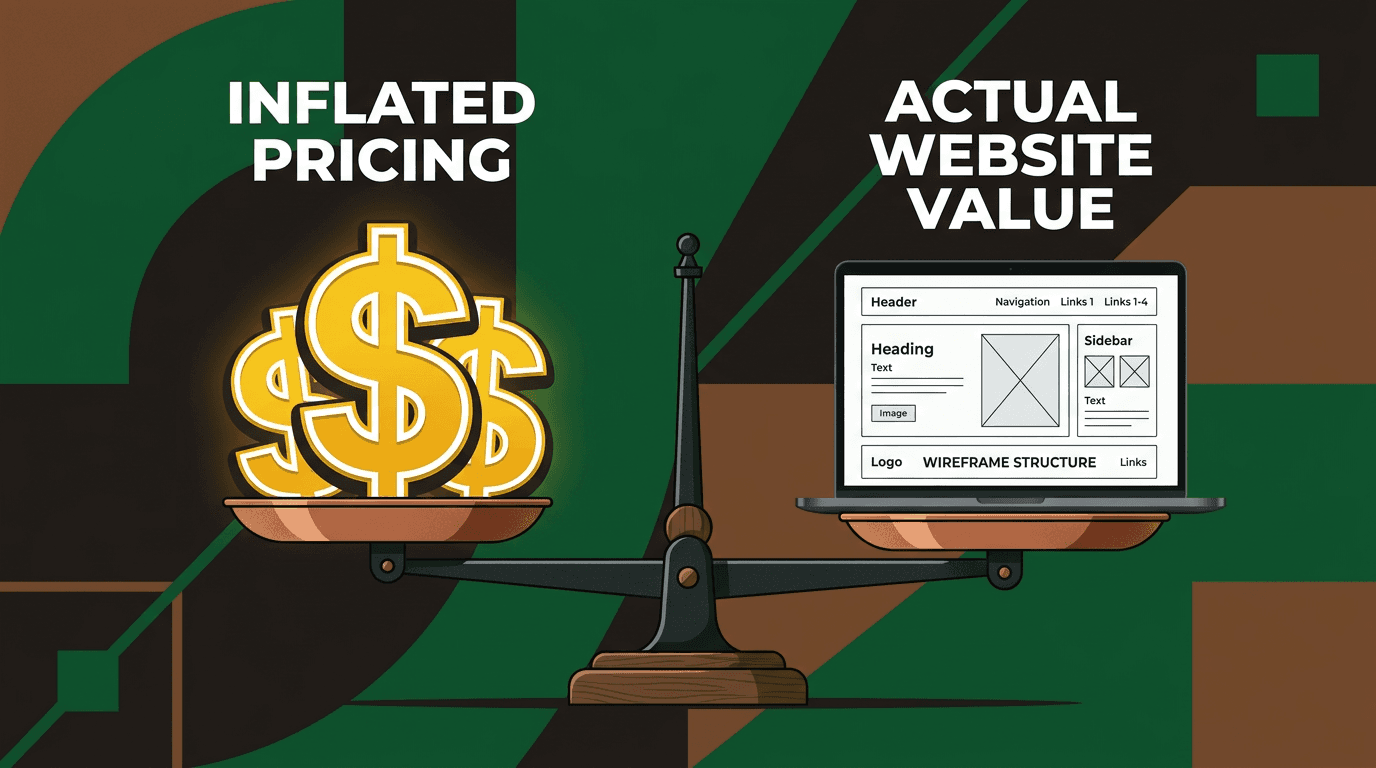
Small Business Web Design Tips That Actually Save You Money
Here's the truth: most web design advice is written by designers who profit when projects get more complex. They'll tell you about "best practices" and "user...

Here's the truth: most web design advice is written by designers who profit when projects get more complex. They'll tell you about "best practices" and "user experience optimization" without mentioning that each recommendation adds $500 to $3,000 to your bill.
You need a website that works for your business and your budget. Not a digital monument to web design trends.
This guide filters every recommendation through one simple question: does this save you money without killing your results? You'll get specific dollar amounts, concrete before-and-after scenarios, and a clear action plan based on your actual budget.
Let's start with what professional website design really costs in 2026, then show you how to cut that number in half.
Why most web design advice costs you more money, not less
Walk into any web design consultation, and you'll hear the same script. "Your website needs to tell your story." "Users expect seamless experiences." "Mobile-first design is essential."
All true. Also completely unhelpful for managing costs.
Design advice typically comes from people who make more money when projects expand. They're not lying about best practices, but they're not thinking about your cash flow either.
The "best practices" trap catches most small business owners. Follow every recommendation in the top 10 web design articles, and your simple business site balloons from $2,000 to $15,000. You'll have beautiful animations, complex booking systems, and perfectly crafted copy for pages nobody visits.
Here's a different approach. Every tip in this article passes a simple test: it either saves you money upfront or prevents expensive fixes later. No exceptions.
What professional website design actually costs in 2026 (real numbers)
The cost spectrum: $500 to $50,000+
Template-based builds ($500–$2,000): You get a pre-designed template customized with your content, colors, and logo. Basic setup includes 3-5 pages, mobile responsiveness, and contact forms. Perfect for service businesses that need credibility fast.
Custom starter sites ($3,000–$8,000): Original design work, but built on proven frameworks. Includes basic SEO setup, content strategy, and usually 5-8 pages. Most small businesses should land here.
Fully custom builds ($10,000–$50,000+): Everything built from scratch. Custom functionality, extensive user testing, complex integrations. Only makes sense if your website directly generates significant revenue.
Most small businesses should target the $2,000 to $5,000 range. Spending more at launch is the number one budget mistake we see. You can always upgrade later when you know what actually drives results.
The hidden costs nobody mentions upfront
Your $3,000 website quote doesn't include everything you'll pay. Here's what gets added:
- Hosting: $10–$50 monthly
- Domain registration: $15–$30 annually
- SSL certificate: $0–$200 annually (often free)
- Plugin licenses: $0–$500 annually
- Stock photos: $200–$800 one-time
- Professional copywriting: $500–$3,000 one-time
- Ongoing maintenance: $75–$300 monthly
Your total annual carrying cost runs $1,500 to $4,000 beyond the initial build. Factor this into your budget planning, and negotiate which items you can handle yourself.
7 design decisions that actually save you money
1. Start with fewer pages (you can always add more)
Most businesses launch with 12-15 pages. Most need 5.
The five-page starter framework covers everything essential: Home, About, Services, Contact, and Blog/Resources. Every additional page adds $200 to $800 in professional design costs, plus content creation time.
Here's how to prioritize: if the page doesn't directly answer "what do you do?" or "how do I buy?", save it for version two. Your "Meet the Team" page can wait. Your detailed company history can wait. Your separate "Testimonials" page can wait.
Start with pages that earn revenue. Add credibility pages once you're making money from the website.
2. Choose the right images before design starts
Stock photo licensing adds up fast. Professional designers often budget $500 to $1,000+ for quality images, especially for service businesses that need lifestyle shots.
Skip the licensing fees entirely with high-quality free sources. Unsplash and Pexels offer professional-grade photos that don't scream "stock image." Focus on lifestyle shots over obviously posed business scenes.
Better yet, provide your own photos. Even smartphone photos beat generic stock images for local businesses. Your actual office, real team members, and genuine work samples build more trust than perfect strangers in conference rooms.
Quick DIY photo tips: shoot in good natural light, keep backgrounds simple, and take 3-4 times more photos than you need. Quantity gives you options during design.
3. Use a proven template or theme instead of full custom
Custom design shows diminishing returns for most small businesses. A $50 premium theme customized by a skilled designer often outperforms a $15,000 custom build for businesses under $1 million in annual revenue.
WordPress themes from StudioPress, Elegant Themes, or ThemeForest provide professional foundations. Webflow and Squarespace templates work well for simpler sites. The key is customization that matches your brand, not building from blank canvas.
Look for themes with good reviews, recent updates, and responsive design built-in. A good designer can make a $50 theme look like a $10,000 custom build through smart color choices, typography, and layout adjustments.
4. Write your own content (with a structure to follow)
Professional copywriting represents 20-40% of many web design quotes. You can cut this cost in half by providing rough drafts, even if they need heavy editing.
Here's a simple content framework for your core pages:
Homepage: What you do, who you serve, why you're different, how to get started About page: Your story, credentials, what drives your work Services page: What you offer, how it helps, what happens next Contact page: How to reach you, where you're located, response timeframes
Write conversationally, like you're explaining your business to a neighbor. Professional editing costs $500 instead of $2,000 when you provide the foundation.
5. Skip these features until you actually need them
Small businesses pay for features they rarely use. Here's what to delay:
Live chat widgets ($200-$500 setup cost): Start with a simple contact form. Add chat once you're getting enough inquiries to justify real-time responses.
Complex booking systems ($500-$1,500): Use Calendly's free tier initially. Upgrade to custom scheduling once you're booking 20+ appointments monthly.
Blog setup ($300-$800): Only pay for blog design if you'll post consistently. An empty blog hurts more than no blog.
E-commerce for service businesses ($800-$3,000): Most service providers don't need shopping carts. Link to PayPal or Stripe payment pages instead.
Multi-language support ($1,000-$5,000): Add languages when you're actively serving those markets, not speculatively.
Custom animations and parallax effects ($500-$2,000): Pretty but rarely improve conversion rates.
Total potential savings: $3,300 to $12,800.
6. Get your branding sorted before you hire a designer
Showing up without clear brand direction adds $500 to $3,000 to most projects. Designers charge for brand development, logo creation, and color exploration.
Handle minimum viable branding yourself first. You need: a simple logo, 2-3 primary colors, and 1-2 fonts. Canva, LogoMaker, or Fiverr can provide basic logos for under $100.
Choose colors that reflect your industry and audience. Conservative businesses should stick with blues, grays, and whites. Creative fields can handle brighter palettes.
Google Fonts offers professional typography for free. Pair a clean sans-serif (like Open Sans) with a more distinctive display font for headings.
7. Plan for DIY maintenance from day one
Monthly maintenance retainers cost $75 to $300. You can handle basic updates yourself if the site is built right.
Insist on a content management system you can actually use. WordPress, Squarespace, and Webflow all offer user-friendly editing, but ask for training on your specific setup.
You can handle: content updates, adding new pages, basic SEO updates, and plugin updates. You need professional help for: security issues, major redesigns, custom functionality, and complex technical problems.
Include a "teach me to fish" clause in your design contract. Good designers will spend 30 minutes showing you the basics instead of creating dependence.
Where NOT to cut corners (spending that pays for itself)
Mobile responsiveness is non-negotiable
Over 60% of small business website traffic comes from mobile devices in 2026. A site that doesn't work on phones costs you more than half your potential customers.
Mobile-responsive design should be included in any professional quote above $1,000. If it's listed as an add-on, find a different designer.
The cost of retrofitting a desktop-only site for mobile runs $1,500 to $4,000. Building it right from the start costs nothing extra with modern design tools.
Fast load speed saves you customers
Every second of load time costs roughly 7% of potential conversions. A slow website kills more sales than bad design.
Basic performance optimization should be standard in professional builds: optimized images, clean code, and reliable hosting. This adds minimal cost upfront but prevents expensive speed fixes later.
Test your site speed with Google's PageSpeed Insights tool. Anything under 3 seconds is acceptable. Over 5 seconds needs immediate attention.
Basic SEO setup during the build
Title tags, meta descriptions, header structure, image alt text, and XML sitemaps should be included in any professional website project. Getting this wrong at launch means paying to fix it later.
This isn't advanced SEO strategy. It's basic website hygiene that costs almost nothing during construction but hundreds to retrofit.
If basic SEO isn't included in your quote, ask why. Any designer working in 2026 should handle this automatically.
Professional contact and conversion points
Your contact form, phone number placement, and call-to-action buttons determine whether visitors become customers.
A $5,000 website with buried contact information performs worse than a $500 website with clear next steps. Spend extra time perfecting these elements, not decorative features.
Make your phone number clickable on mobile. Put contact forms above the fold on key pages. Use action-oriented button text like "Get Your Free Quote" instead of generic "Submit."
DIY vs hiring a professional: the honest cost comparison
When DIY actually makes sense
You should build your own website if:
- You have more time than money (and enjoy learning technical skills)
- You're validating a business idea before major investment
- You need a simple portfolio or single-page site
- Your business is purely local and referral-based
Squarespace, Wix, and WordPress.com offer professional results for $20 to $50 monthly. Budget 20-40 hours for learning and building.
When hiring a professional saves you money long-term
Calculate the opportunity cost of your time. If you bill $50+ per hour, spending 30 hours on website building costs $1,500 in lost income. Add the value of professional expertise, and the numbers often favor hiring help.
The "redo tax" is real. Fixing a problematic DIY site costs more than building it right initially. We regularly see $3,000 professional rebuilds of $500 DIY attempts.
Signs you've outgrown DIY: you need custom functionality, complex integrations, or your website directly drives significant revenue.
The middle ground: guided DIY and hybrid options
Many designers offer hybrid services where you handle content creation and they manage design and technical setup. This typically saves 40-60% compared to full-service projects.
Website-in-a-day formats work well for simple business sites. You provide content and feedback, the designer builds in real-time. Costs range from $1,500 to $4,000.
Structure hybrid engagements clearly. Define who handles what, include revision limits, and establish handoff procedures for ongoing maintenance.
How to vet a web designer without getting overcharged
Ask these five questions in any proposal conversation:
-
"What's included in this price, and what costs extra?" Vague quotes lead to surprise charges later.
-
"How many rounds of revisions are included?" Unlimited revisions sound good but often mean higher base prices.
-
"What happens if the project takes longer than estimated?" You need fixed-price protection.
-
"Can you show me three similar projects and their final costs?" Past performance predicts future pricing accuracy.
-
"What will I be able to update myself after launch?" This reveals whether they're building for your independence or their recurring revenue.
Red flags in quotes: vague line items, no revision limits, no clear timeline, pressure for immediate decisions, or prices significantly below or above market range.
Green flags: detailed scope documentation, clear revision policies, realistic timelines, portfolio of similar businesses, and transparent pricing breakdowns.
Your money-saving web design action plan
If your budget is under $1,000: Use Squarespace or WordPress.com templates. Handle your own content and basic customization. Focus on clear contact information and mobile responsiveness.
If your budget is $1,000-$3,000: Hire a designer for a template-based build. Provide your own content and images. Skip advanced features initially.
If your budget is $3,000-$8,000: Invest in custom design with professional content strategy. Include basic SEO and performance optimization. Plan for professional photos if needed.
Start with the five-page framework. Prepare your content before contacting designers. Get basic branding elements ready. Focus on features that directly impact customer acquisition.
Ready to build a website that works for your business and your budget? We specialize in practical web design that drives results without breaking the bank. Get your free consultation today.
Frequently asked questions
How much should a small business website cost in 2026? Most small businesses should budget $2,000 to $5,000 for professional web design. Template-based sites run $500-$2,000, while custom designs range from $3,000-$8,000. Avoid spending more than $10,000 unless your website directly generates significant revenue.
Is it cheaper to build a website myself or hire a professional? DIY makes sense if you have more time than money and enjoy technical projects. Professional design pays off when your time is worth $50+ per hour or you need the site to drive business immediately. Hybrid options offer the best value for many small businesses.
What website features can I skip to save money? Skip live chat widgets, complex booking systems, blogs (if you won't post regularly), e-commerce functionality for service businesses, and custom animations. These features can be added later and often go unused initially.
How much does website maintenance cost? Professional maintenance retainers run $75-$300 monthly. You can reduce costs by handling content updates, basic page additions, and plugin updates yourself. Only outsource security issues and complex technical problems.
Should I use WordPress, Squarespace, or Wix for my small business? WordPress offers the most flexibility and long-term value but requires more technical knowledge. Squarespace provides beautiful templates with easy editing. Wix works well for very simple sites. Choose based on your comfort level and growth plans.