What a $500 Website Should Actually Look Like in 2026
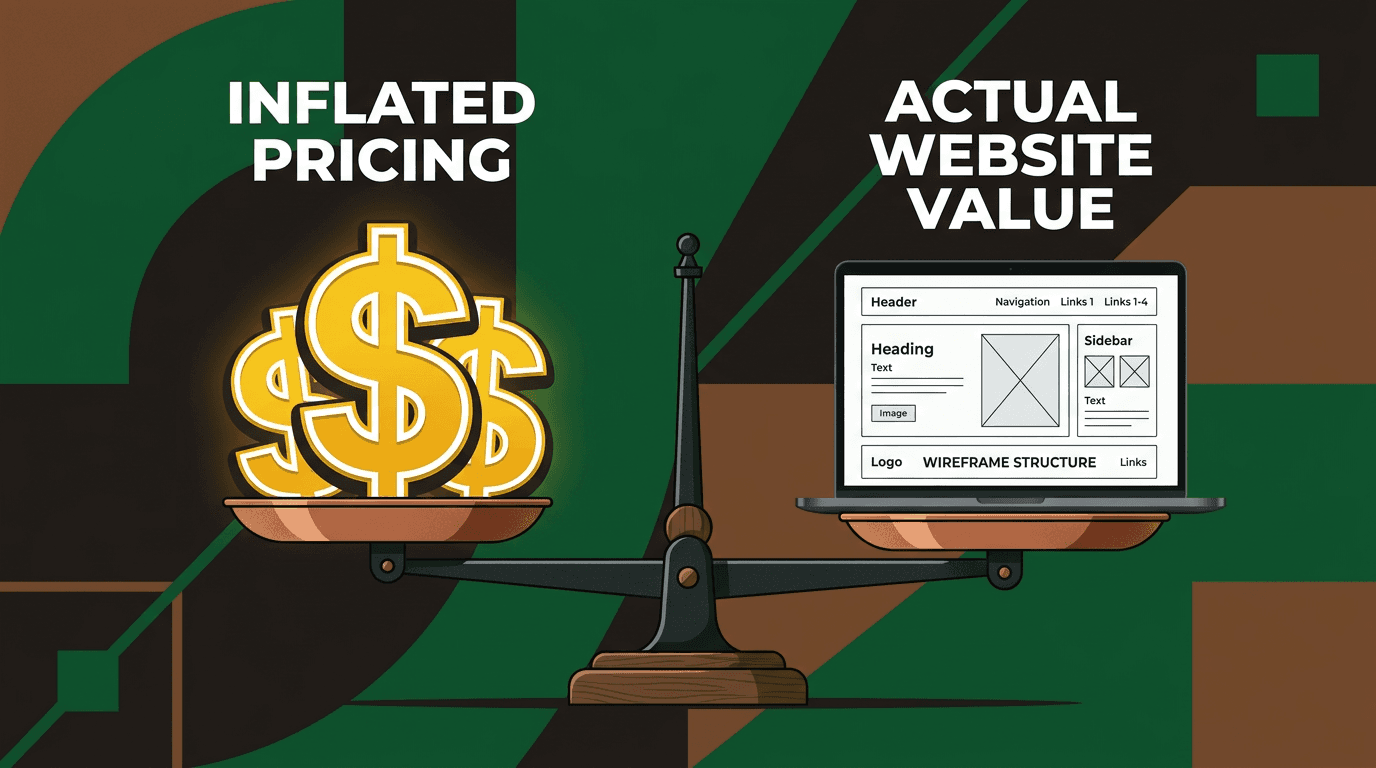
You've gotten quotes ranging from $200 to $20,000 for a small business website. Half the freelancers on Upwork promise "professional sites" for $300. The loc...

You've gotten quotes ranging from $200 to $20,000 for a small business website. Half the freelancers on Upwork promise "professional sites" for $300. The local agency wants $15,000 for a "custom solution." Meanwhile, your competitor launched something that looks decent, claiming they spent $500.
What does $500 actually buy you in 2026?
I've built dozens of websites at this exact price point. The good news: $500 can absolutely deliver a professional web presence that drives calls, emails, and sales. The bad news: most people — freelancers and business owners alike — waste that budget on the wrong things.
Here's what a real $500 website looks like, where every dollar goes, and how to avoid the most expensive mistakes at this budget tier. Recent data shows that 81% of small businesses now have websites, but a huge portion underperform because expectations were never set properly from the start.
Why $500 is the most confusing price point in web design
The $500 budget sits in no-man's land. Too small for custom design work, too big for pure DIY templates. Most cost guides give you ranges like "$500–$50,000" without showing what any specific tier actually delivers. Design articles ignore budget constraints entirely.
You're stuck in the middle, unsure whether $500 gets you something professional or just expensive amateur work.
The real issue? Web design costs vary wildly because most quotes bundle completely different deliverables. One freelancer's $500 includes hosting setup, content writing, and SEO basics. Another's $500 covers design only — you handle domain registration, hosting, and all the technical setup yourself.
This article functions as a real project brief. Every recommendation is grounded in the constraint of $500. You'll get a printable checklist you could hand to a freelancer or follow yourself, with exact expectations for quality and deliverables.
Where every dollar goes — the real $500 budget breakdown
The line-item spec
Here's where your money actually goes on a $500 website project:
| Expense Category | Cost Range | Specific Examples | |------------------|------------|-------------------| | Domain name | $12–15/year | .com registration through Namecheap | | Hosting (shared) | $36–120/year | SiteGround StartUp, Cloudways starter plan | | Theme/template | $0–60 | Astra free vs. Kadence Pro | | Essential plugins | $0–50 | RankMath free, WPForms Lite, Smush | | Stock photography | $0–50 | Unsplash free vs. 5–10 Shutterstock images | | SSL certificate | $0 | Let's Encrypt (included with most hosts) | | Privacy policy | $0 | Free generator tools | | Labor budget remaining | $225–$400 | Freelancer fee after covering costs |
Key insight: On a $500 budget, roughly half goes to infrastructure and tools. If you're paying a freelancer $500 total, they're earning $300–350 for their actual time after covering your setup costs.
Set expectations accordingly. That's 5–10 hours of skilled work — enough for setup and light customization, not a custom design.
DIY vs. freelancer — where that $500 stretches further
DIY route: All $500 goes to premium tools and assets. Your time becomes the labor investment (expect 20–40 hours for your first site).
Freelancer route: You're buying 5–10 hours of skilled work after costs. Fast execution, but $500 severely limits their scope.
Honest take: DIY gives more control and potentially better results if you're willing to learn. A freelancer delivers faster but can't perform miracles at this price point.
The 5-page blueprint — exactly what a $500 site should include
Page 1 — Homepage (the only page that really has to shine)
Your homepage gets 80% of the design attention and budget. Everything else can be template-clean.
Above the fold requirements:
- Clear headline stating what you do and who you serve
- One strong call-to-action button (not three different CTAs competing)
- One professional hero image (real photo of your work/location beats stock)
Below the fold structure:
- Three service or benefit blocks with icons
- 2–3 testimonials or trust signals (Google reviews, certifications)
- Secondary CTA with different action (call vs. email)
The $500 standard: Clean template layout, readable fonts, 2–3 brand colors maximum, fast-loading hero image under 200KB in WebP format.
Word count target: 300–500 words total. More than that dilutes your message.
Page 2 — About page
Include your story in 200–300 words, a real photo of you or your team, and any credentials or trust badges. Skip team bios for every employee, timeline graphics, or animated elements at this budget.
Page 3 — Services or products page
List 3–5 core offerings clearly. Each needs a brief description (50–100 words), transparent pricing if possible, and a CTA linking to contact.
Use template-friendly layouts: card grids or simple lists. Resist the urge to get fancy with hover effects or custom icons.
Page 4 — Contact page
Simple form with name, email, and message fields only. Display your physical address, phone, email, and hours prominently. Embed a Google Map if you're a local business.
Connect your Google Business Profile and make sure the contact form actually works and sends to a monitored inbox.
Page 5 — One supporting page
Choose based on your business type:
- FAQ page: Works for service businesses (5–8 questions maximum)
- Testimonials page: Essential for trust-dependent industries (4–6 reviews)
- Blog stub: Future SEO foundation (start with 2–3 posts)
Keep it lean. Every page dilutes your $500 budget.
Pages you don't need yet
Blog with 50 posts, portfolio galleries, separate landing pages, pricing calculators, team bios, or multiple service pages. Feature creep kills $500 budgets faster than anything else.
The quality floor — below this standard, don't launch
Here's your minimum-viable website checklist. Miss any of these, and you're wasting your $500:
- Mobile-responsive on all pages (test on a real phone, not just desktop preview)
- Loads in under 3 seconds on mobile (test with Google PageSpeed Insights)
- Every page has one clear CTA (call, email, form submission)
- Navigation has 5 items or fewer with descriptive labels
- Contact form works and sends to a monitored inbox
- Basic SEO in place: unique title tags, meta descriptions, H1 tags on every page
- Google Analytics 4 and Search Console connected and tracking properly
- Privacy policy page exists (legal requirement in most areas)
- No broken links or placeholder text (check every link manually)
- Professional enough that you wouldn't be embarrassed to share the URL
Research shows that 68% of small business websites fail basic SEO requirements, so a $500 site that nails these fundamentals already outperforms the majority.
What "good" vs. "bad" looks like at $500
The good $500 site
Uses a clean template like Astra or Kadence starter, customized with brand colors and real photos. Features a descriptive headline, clear value proposition, and visible CTA above the fold. Fast, mobile-friendly, with basic SEO properly configured.
Looks like: A trustworthy local business that pays attention to details.
The bad $500 site
Generic template with zero customization — default colors, stock headlines like "Welcome to Our Website," and placeholder content. Cluttered homepage with 12 menu items, three image sliders, and no clear action for visitors to take.
Missing contact information, broken forms, and never tested on mobile devices.
Looks like: A business that doesn't care about first impressions.
The ugly $500 site (the waste-of-money version)
All $500 spent on a flashy animated homepage with no other pages built. Heavy graphics that take 8+ seconds to load on mobile. Beautiful on desktop, completely broken on phones.
No analytics setup, no SEO, and no way to track whether it's generating leads or sales.
Key point: Fancy visuals without functional fundamentals represents the most expensive mistake at this budget level.
Where DIY falls short (and where it's plenty)
DIY wins
Content creation: You know your business better than any freelancer working for $350. Your authentic voice and specific knowledge of customer pain points beats generic marketing copy.
Ongoing updates: Learning your CMS saves hundreds per year in maintenance fees. Small businesses spend an average of $50–150 monthly on website updates and changes.
Brand photography: Your smartphone camera with natural light produces more authentic results than generic stock photos of people in suits pointing at laptops.
Google Business Profile setup: Free and essential for local SEO, and you can handle this better than most freelancers.
DIY fails consistently
Speed optimization: Core Web Vitals tuning (LCP, CLS, INP) requires technical knowledge most business owners don't have.
Typography and spacing: Most DIY sites look cluttered because owners add too much content and ignore white space principles.
Technical SEO: Schema markup, proper header structure, and crawlability issues slip through the cracks.
Knowing when to stop: DIYers add features that hurt performance and user experience.
Studies indicate that 84% of consumers prefer buying from professional-looking websites. The gap between "I built this" and "this looks professional" often comes down to typography, spacing, and restraint.
The $500 site that outperforms the $5,000 site
Expensive doesn't mean effective. A $500 site with clear CTAs, fast load times, and basic local SEO can outperform a $5,000 site that's slow, confusing, and built for the owner's ego rather than customer needs.
Real example: A plumber's 5-page site with a prominent "Call Now" button, embedded Google reviews, and 2-second load time will generate more calls than a $5,000 site with parallax scrolling, stock photos of smiling office workers, and a buried phone number.
The deciding factors aren't budget — they're clarity, speed, and conversion focus. Website design best practices for 2026 emphasize user experience over visual complexity.
Should you even build a $500 site? (An honest decision tree)
Yes, $500 is enough if:
- You're a local service business, solo operator, or startup needing web presence quickly
- You have 1–5 core offerings that fit on simple pages
- You don't need e-commerce or online booking systems
- You're willing to write your own content
Save up for $1,500–3,000 if:
- You need e-commerce, booking systems, or complex forms
- You're in a competitive market where design quality differentiates you
- You have zero time to learn basic CMS management
- You need multiple user roles or member areas
You actually need $5,000+ if:
- You require custom functionality or software integrations
- You're building a brand where design is the primary product
- You need multilingual support or complex content management
Honest advice: A good $500 site launched today beats a perfect $5,000 site launching "someday." Start, iterate, and upgrade when revenue supports it.
Your $500 website launch checklist
Print this list and check off each item:
- Register domain ($12) through Namecheap or similar
- Set up hosting ($3–8/month) with SiteGround or Cloudways
- Install WordPress + Astra or Kadence free theme
- Build 5 core pages: Home, About, Services, Contact, FAQ
- Write clear headlines and CTAs for every page
- Add real photos where possible; use Unsplash for gaps
- Install essential plugins: RankMath (SEO), WPForms Lite, Smush
- Set up Google Analytics 4 + Search Console
- Create Google Business Profile and verify location
- Test thoroughly on mobile — fix anything broken
- Run PageSpeed Insights — aim for green scores
- Add privacy policy using free generator tools
- Check every link and form submission manually
- Launch and share the URL with your first customers
Total time investment: 20–40 hours DIY, or 1–2 weeks with a freelancer.
The $500 reality check
A $500 website is template-based, not custom — and that's perfectly fine when executed correctly. You're buying functionality and professional presentation, not unique design.
The most successful $500 sites focus ruthlessly on conversion rather than creativity. They load fast, communicate clearly, and make it easy for customers to take action.
Skip the fancy animations and complex layouts. Nail the fundamentals, launch quickly, and improve based on real user feedback and business growth.
Your customers care about finding what they need and contacting you easily. Everything else is secondary at this budget level — and often counterproductive when it slows down your site or confuses visitors.
Ready to build your $500 website? Start with that checklist, be honest about the time investment, and remember: done is better than perfect when you're getting started online.
Frequently asked questions
What's the difference between a $500 DIY site and hiring someone for $500? DIY gives you all $500 for tools and assets, plus 20-40 hours of your time. Hiring someone gets you 5-10 hours of skilled work after they cover your hosting and setup costs.
Can a $500 website really compete with expensive custom sites? Yes, if it loads fast, has clear calls-to-action, and solves customer problems better than a slow, confusing expensive site. Function beats form at this budget level.
Should I start with $500 or save up for something more expensive? Start with $500 if you need web presence now and have simple requirements. A launched $500 site generates data and revenue while you plan your next upgrade.
What's the biggest mistake people make with $500 website budgets? Trying to include too many features and pages. Feature creep kills $500 budgets. Stick to 5 pages maximum and nail the basics.
How long does a $500 website take to build? DIY: 20-40 hours over 2-4 weeks. With a freelancer: 1-2 weeks total timeline, assuming you provide content promptly.