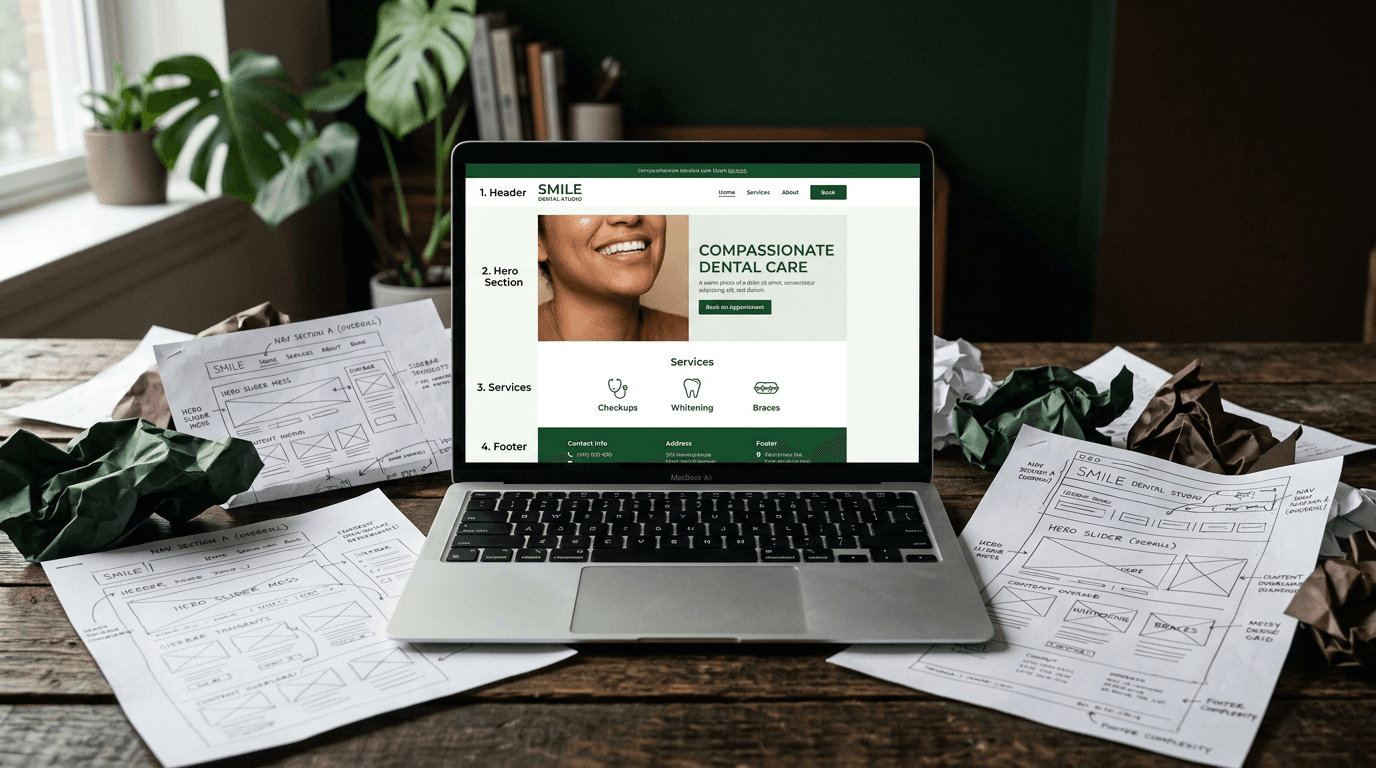
What a Dentist's Website Actually Needs to Book Patients
Your dental website exists for exactly one reason: to turn someone who found you on Google into someone sitting in your chair with their mouth open.
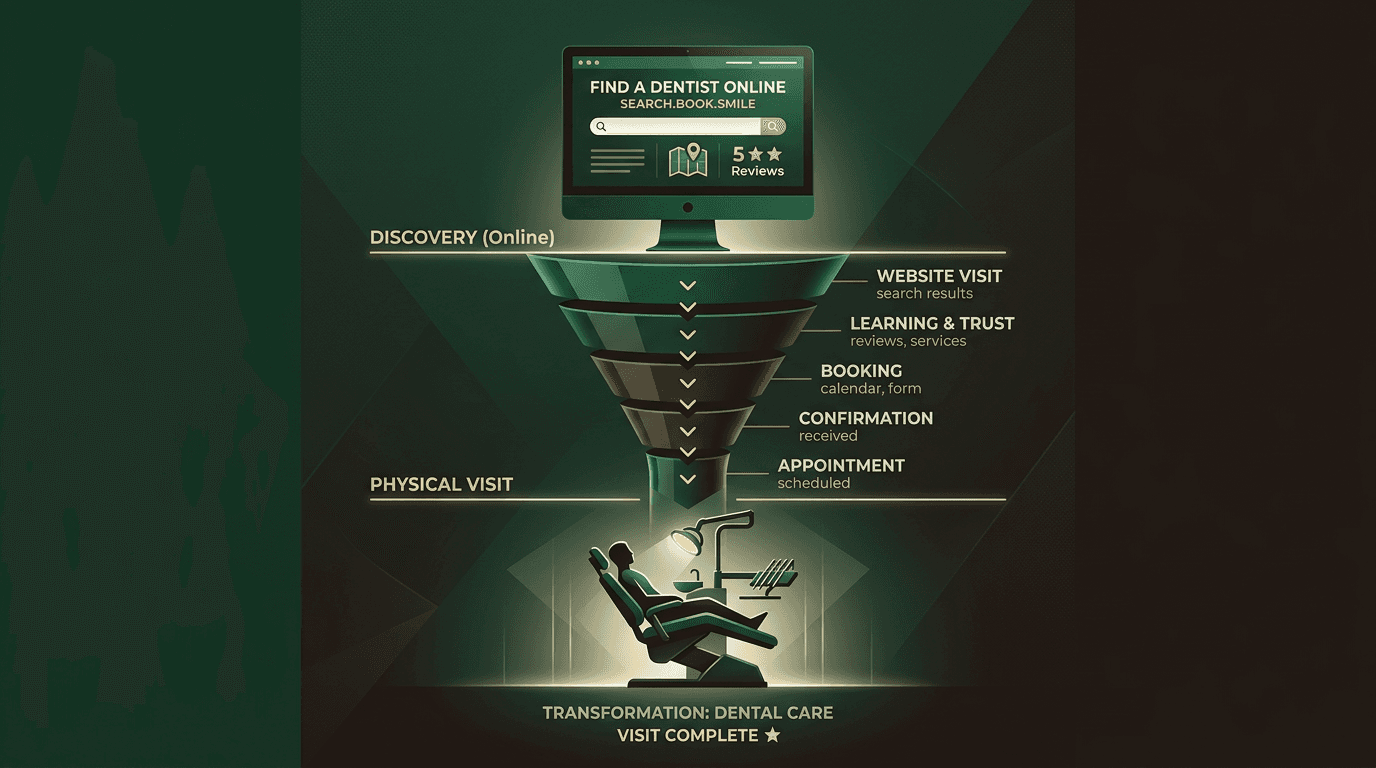
Your dental website exists for exactly one reason: to turn someone who found you on Google into someone sitting in your chair with their mouth open.
That's it. Not to win design awards. Not to showcase your photography skills. Not to educate the world about proper flossing technique. To book patients.
Yet most dental websites fail spectacularly at this single job. They're digital brochures buried under stock photos of impossibly white teeth, with contact information hidden three clicks deep and scheduling systems from 2021. The average dental site converts visitors to patients at roughly 1-2%. The good ones hit 5-8%. The difference isn't prettier pictures or smoother animations.
It's understanding that a dental website has one measurable outcome: booked appointments. Everything else is noise.
I've audited hundreds of dental websites over the past five years. The patterns are stark. Sites that book patients obsess over eight specific elements. Sites that don't obsess over everything else.
Whether you're a dentist evaluating your own site or a designer about to pitch one, this is the only list that matters.
Your dental website has one job
Most dental websites are digital brochures that happen to have a phone number somewhere on page three. They list services, display team photos, and hope visitors will eventually figure out how to book an appointment.
This backwards approach ignores a brutal reality: your website visitor is already in pain, already comparing options, and already ready to book. They found you through Google because they have a problem right now. They don't need to be convinced that dental care matters. They need to know you can solve their problem and exactly how to get on your schedule.
Frame everything around this single metric: booked appointments. If your website isn't converting visitors into scheduled patients, nothing else matters. Not your bounce rate, not your page views, not how modern it looks compared to the practice down the street.
The Booking-First Checklist below ranks website elements by their direct impact on getting appointments scheduled. Not my opinions. Patterns from sites that actually perform.
A dentist's website needs fewer things than most agencies sell you. But the things it needs, it must nail perfectly.
The booking-first checklist: what a dental website must have (ranked by impact)
These elements are ranked by their direct impact on converting a visitor into a booked appointment. Not aesthetic preferences or SEO theory. Results from sites that consistently turn traffic into patients.
1. A "book now" button and phone number above the fold
The single most impactful element on your site. If a patient has to scroll to figure out how to contact you, you've already lost them.
Your hero section should answer three questions in under 2 seconds: who you are, where you are, and how to book. Everything else can wait.
The phone number should be tap-to-call on mobile. The Book Now button should be high-contrast and persistent—either in a sticky header or as a floating call-to-action that follows users down the page.
Include an emergency or urgent care line if you offer it. This differentiates you from competitors who bury their after-hours information in a footer PDF.
Sites with a visible CTA above the fold see measurably higher engagement than those that bury it under stock photo slideshows. Don't make visitors hunt for the most important information on your site.
2. Online scheduling integration
The highest-leverage conversion feature you can add. Modern patients, especially those under 45, don't want to call during business hours. They want to book at 10pm on a Tuesday while watching Netflix.
Tools like NexHealth, LocalMed, Dentrix integration, or a Zocdoc widget enable 24/7 booking. Your website books patients while your front desk sleeps.
Dental sites with integrated online scheduling convert significantly higher than phone-only sites. This single upgrade often has the highest ROI of any website improvement.
One detail: your scheduling tool must be HIPAA-compliant. Don't assume all booking platforms meet healthcare requirements. Ask specifically about compliance before integrating anything that collects patient information.
3. Insurance and payment information — visible, not hidden
This is the number one question patients have before they'll commit to booking. If they can't find it immediately, they bounce to a competitor who makes it obvious.
Don't link to a PDF. Don't hide it on a buried "Financial" page. List accepted insurance providers clearly on the homepage or in a prominent sidebar section.
Include information about payment plans, financing options like CareCredit, and whether you accept patients without insurance. Place this above the fold or within one scroll.
The practices that convert best treat insurance information like their hours of operation—essential details that belong front and center.
4. Mobile speed and core web vitals
Over 60% of dental searches happen on mobile. If your site takes more than 3 seconds to load on a phone, you're effectively invisible to most potential patients.
Core Web Vitals measure what actually matters to visitors: how fast your page loads (Largest Contentful Paint), how quickly it responds to taps (Interaction to Next Paint), and whether elements jump around while loading (Cumulative Layout Shift).
Common killers for dental sites: uncompressed team photos, hero video autoplay, bloated template code, and unoptimized third-party scripts from booking widgets or chat tools.
Run your site through Google PageSpeed Insights right now. If the mobile score is below 70, that's your first priority fix. Every second of delay costs you bookings.
5. Patient reviews and trust signals
Social proof often determines the final choice between two similar practices. Patients comparing options want to see that real people had positive experiences.
Embed Google reviews directly on your site—not just a link to your Google profile. Show star ratings, recent review dates, and patient names. Fresh reviews signal an active, popular practice.
Additional trust signals that matter: real team photos (not stock images), credentials and certifications, office photos or video tours, and years in practice. For cosmetic and implant work, before/after galleries build confidence—with proper patient consent and no misleading edits.
These elements work together to answer the visitor's underlying question: "Can I trust this practice with my health and money?"
6. Google Business Profile alignment
Your website and Google Business Profile must tell identical stories. Same practice name, same address, same phone number (NAP consistency). Mismatched information confuses both patients and search engines.
Embed a Google Map on your contact page. Link your Google Business Profile to your website and vice versa. This NAP consistency is foundational local SEO that many dental sites get wrong through simple oversight.
When Google sees consistent information across platforms, it gains confidence in your legitimacy and shows your practice for more local searches.
7. Individual service pages (not a bulleted list)
A single page listing "cleanings, implants, Invisalign, whitening, crowns" is an SEO dead end that provides no value to patients researching specific treatments.
Each major service needs its own dedicated page with unique content targeting specific keywords like "dental implants in [City]" or "Invisalign [City]." These pages serve dual purposes: they rank for long-tail searches and give patients detailed information that builds booking confidence.
Core service pages every dental site should have: general/preventive care, cosmetic dentistry, dental implants, emergency services, pediatric dentistry (if applicable), and Invisalign/orthodontic treatment.
Patients researching expensive procedures like implants want comprehensive information before they'll book a consultation. Give them that detail.
8. Local SEO foundations (schema, NAP, location pages)
Implement LocalBusiness and Dentist schema markup—code that tells Google exactly what your practice is, where it's located, and what services you provide.
If your practice serves multiple areas, create location-specific pages with genuinely useful content about serving patients in those communities. Not doorway pages, but authentic information about your presence in different areas.
Maintain NAP consistency across your website, Google Business Profile, Yelp, Healthgrades, and all directory listings. Inconsistent information dilutes your local search authority.
What you can safely skip (the bloat most agencies sell you)
Every dollar and minute you don't spend on bloat is a dollar and minute you can invest in the eight elements that actually book patients.
Blog content with weekly posts nobody reads. A few high-quality service pages and frequently asked questions outperform a graveyard of 300-word posts about "Why Flossing Matters." Only publish content if there's genuine search demand for the topic.
Elaborate homepage sliders and carousels. They slow load times, nobody clicks past the first slide, and they push your contact information below the fold. Most agencies still recommend these because they look impressive in sales presentations, not because they book patients.
Custom video production before the basics are right. A simple office walkthrough filmed on an iPhone beats a $5,000 cinematic video if visitors still can't find your phone number.
Social media feed embeds. They slow your site, rarely get engagement, and instantly date your page if you haven't posted recently. Link to your profiles instead.
Complex patient portal features on the marketing site. These belong in a separate, secure application, not cluttering the site visitors use to evaluate and book with your practice.
The best-performing dental websites focus ruthlessly on conversion over impression.
How to find businesses that need websites (for web designers)
This section is specifically for web designers and agencies looking to identify dental practices that desperately need help with their online presence.
The Google Maps method for finding dental prospects
Here's a systematic approach to finding practices with broken web presence:
- Open Google Maps and search "dentist" in your target area
- Click through the results systematically
- Check each practice for obvious website problems
- Document the issues using the Booking-First Checklist above
Look for: no website link at all, a Facebook page listed as the "website," sites that aren't mobile-friendly, no online booking option, no displayed reviews, or missing insurance information.
Use Google PageSpeed Insights as a quick diagnostic tool you can include in cold outreach. A mobile score below 50 is an immediate conversation starter.
This approach scales well because every geographic area has dental practices, and many still have websites from 2020-2022 that need modernization.
Seven red flags that signal a dental site needs a rebuild
- Phone number not visible on mobile without scrolling — instant bounce for urgent patients
- No online booking option — losing patients to practices that offer 24/7 scheduling
- Copyright date more than 2 years old — signals neglect and outdated technology
- Stock photos only — no real team or office photos builds zero trust
- "Call for insurance information" — instead of clearly listing accepted plans
- Mobile PageSpeed score below 50 — functionally broken on smartphones
- Template design identical to competitors — check footers for template provider credits
These issues are common and fixable. They represent lost revenue that's easy to quantify.
How to pitch a dentist on a website rebuild
Speak their language: "booked appointments," not "conversion rate optimization." They care about patients in chairs, not technical metrics.
Lead with the revenue problem: "You're paying for Google ads that send people to a site where they can't find the Book Now button on mobile."
Offer a free mini-audit using the Booking-First Checklist. Quantify exactly what they're missing and how it affects bookings.
Reference the cost of missed patients. The average lifetime value of a dental patient ranges from $10,000-$15,000. Even one new booking per week changes the financial equation entirely.
Frame your pricing against that patient lifetime value, not against other web designers. A $5,000 website that books two extra patients per month pays for itself in weeks, not years.
The cost of getting your dental website wrong
The math is straightforward and brutal. If your site receives 500 visits per month and converts at 1% instead of 3%, you're missing 10 new patients monthly.
With an average new patient lifetime value between $10,000-$15,000, that represents $100,000-$150,000 in lost revenue each month from a website that buries contact information.
The practices I work with typically invest $3,000-$8,000 to fix core conversion issues. That investment pays for itself with the first few bookings, then generates profit for years.
This math arms both audiences reading this article. Dentists understand the urgency. Designers get ROI ammunition for their pitches.
The difference between a website that books patients and one that doesn't often comes down to these eight elements, implemented correctly.
Quick-reference: dental website checklist
| Element | Priority | Impact on Bookings | |---------|----------|-------------------| | Book Now button & phone above fold | Must-Have | High | | Online scheduling integration | Must-Have | High | | Insurance/payment info visible | Must-Have | High | | Mobile speed & Core Web Vitals | Must-Have | High | | Patient reviews & trust signals | Must-Have | Medium | | Google Business Profile alignment | Must-Have | Medium | | Individual service pages | Must-Have | Medium | | Local SEO foundations | Must-Have | Medium | | Weekly blog content | Skip | Low | | Homepage sliders | Skip | Low | | Custom video production | Nice-to-Have | Low | | Social media embeds | Skip | Low | | Complex patient portals | Skip | Low |
Frequently asked questions
How much does a good dental website cost? Range: $3,000-$15,000 for a custom site built around the Booking-First Checklist; $500-$2,000 for template-based options. The template appears cheaper upfront but often costs more in lost bookings long-term due to poor mobile performance and buried contact information.
Do dentists need SEO? Yes, but the right kind. Local SEO that helps patients in your area find you for services you actually provide. Skip the generic blog content. Focus on location-based keywords, Google Business Profile optimization, and service-specific pages that match actual search intent.
Should dental websites include online booking? Absolutely. Practices with online booking convert significantly more website visitors than phone-only options. Modern patients expect 24/7 booking capability, especially for non-emergency appointments. The ROI on scheduling integration is typically the highest of any website feature.
What's the biggest mistake dental websites make? Burying contact information below the fold on mobile. Over 60% of dental searches happen on phones, and visitors won't scroll to find your phone number. If they can't book or call immediately, they'll return to Google and find a practice that makes contact obvious.
Which website design works best for dentists? Clean, mobile-first designs that prioritize functionality over aesthetics. The best website design for dentist practices focuses on conversion elements first: visible contact information, online booking, insurance details, and fast mobile loading. Visual appeal matters, but never at the expense of usability.
Make your website work
Your dental website works for you 24/7, or it doesn't work at all. The choice between a site that books patients and one that just looks professional comes down to these eight elements, executed correctly.
Start with the biggest impact items—contact information above the fold and online booking integration. These two changes alone can double your website conversion rate within weeks.
If you're a dentist reading this, audit your current site against the checklist above. If you're a designer, use this framework to identify practices that need help and demonstrate exactly how you'll increase their bookings.
The math is simple. The execution is straightforward. The results speak for themselves.